
The Logitech MX Ergo S leads this set with a 20-degree tilt and 6 programmable buttons, plus USB-C charging, while the Logitech Ergo M575S fits tight desks with thumb control that moves the cursor without moving the hand. The other three models in this guide cover a different set of trade-offs: a second M575S colour and ball combination, a rechargeable Nulea model with three-device switching, and a ProtoArc model with a hinge that moves between a flat position and a 15-degree tilt. Each one moves the cursor with a thumb-operated ball, so the choice turns less on the basic idea and more on tilt, buttons, charging, device switching and the size of the shape under your hand.
A trackball mouse suits a crowded desk, a tray, a couch arm or any surface where a standard mouse has little room to travel. The ball stays in one place while your thumb does the work, and the listing details for these five models put real numbers behind that idea: tilt angles of 0, 15 and 20 degrees, DPI settings from 200 to 1600 on one model, four DPI levels on another, three-device switching on two models, and power ranging from an included AA battery with up to 18 months of use to USB-C charging with up to 120 days on a full charge. Read the measurements and the button counts before you choose, because two models that look alike on a shelf can differ sharply in how many devices they switch between, whether their buttons can be changed, and whether they need a cable, a charging port or a replacement battery.
As an Amazon Associate, we earn from qualifying purchases.


Pick by Your Need
- Best overall: Logitech MX Ergo S. It pairs a 20-degree tilt with 6 customizable buttons and USB-C charging for up to 120 days on a full charge.
- Best for small desks: Logitech Ergo M575S Graphite Blue Ball. Its thumb control moves the cursor without moving the hand, and the listing describes it as suited to small or space-saving setups.
- Best for a dark setup: Logitech Ergo M575S Black Silver Ball. It offers the same thumb-control shape in a Black and Silver Ball colour combination with Bluetooth and a Logi Bolt USB receiver.
- Best for three devices: Nulea M501. It connects to up to 3 devices by Bluetooth or a USB dongle and switches between them with a button on the bottom.
- Best for adjustable tilt: ProtoArc EM02. Its hinge sets the trackball to a flat 0-degree position or a tilted 15-degree position.
Quick Answer
Choose the Logitech MX Ergo S when you want the most adjustable shape in this set, with a 20-degree tilt, six customizable buttons and USB-C charging that the listing describes as giving up to 24 hours of use from a 1-minute charge. Choose a Logitech Ergo M575S when you want a sculpted thumb-control shape with Bluetooth or a Logi Bolt USB receiver and up to 18 months of battery life from an included AA battery. Choose the ProtoArc EM02 when you want to try two tilt positions, or the Nulea M501 when you want three-device switching with a rechargeable battery and four DPI levels.
Comparison Table
| Product | Best for | Size, battery, DPI and buttons | Trade-off | Buy |
|---|---|---|---|---|
| Logitech Ergo M575S Graphite Blue Ball | Small desks | 4.13 x 3.94 x 5.28 inches; up to 18 months on an included AA battery; cursor speed adjustable in the Logi Options+ App; 3 customizable buttons | No tilt adjustment is listed, and no DPI values are listed | View on Amazon |
| Logitech Ergo M575S Black Silver Ball | A dark setup | Dimensions not stated; up to 18 months on an included AA battery; cursor speed adjustable in the Logi Options+ App; 3 customizable buttons | No dimensions are listed, and no tilt adjustment is listed | View on Amazon |
| Nulea M501 | Three devices | 5.51 x 4.37 inches; rechargeable battery with no duration stated; 4 DPI levels with no values stated; 6 buttons | Buttons are not programmable, and the listed height conflicts with the shape described | View on Amazon |
| Logitech MX Ergo S | Overall use | Dimensions not stated; up to 120 days on a full USB-C charge; speed and high-precision tracking switch at the tap of a button; 6 customizable buttons | No dimensions are listed, and the charging cable is not included | View on Amazon |
| ProtoArc EM02 | Adjustable tilt | 5.51 x 4.0 inches; 90-day standby on a full charge; 5 DPI settings from 200 to 1600; buttons include forward and backward controls | Forward and backward buttons are not compatible with Mac OS, and the listed height conflicts with the shape described | View on Amazon |
Decision Guide
Start with the shape under your hand, because that is the difference you will notice in every session. The Logitech Ergo M575S Graphite Blue Ball lists a length of 4.13 inches, a width of 3.94 inches and a height of 5.28 inches, while the Nulea M501 lists a length of 5.51 inches and a width of 4.37 inches, and the ProtoArc EM02 lists a length of 5.51 inches and a width of 4.0 inches. Those numbers show that the Nulea and ProtoArc models list the same 5.51-inch length, while the Graphite Blue M575S lists a shorter length and a narrower width than either of them. The Black Silver M575S and the MX Ergo S list no dimensions in the listing details, so compare them by their other stated features rather than by a measurement that is not given: the MX Ergo S lists a 20-degree tilt and a sculpted shape for medium- to large-sized hands, while the M575S models describe a sculpted shape as a good fit for most hand sizes.
Tilt is the next decision, and the three approaches in this set are easy to separate. The MX Ergo S holds a fixed 20-degree tilt, and the listing connects that angle with a 27% reduction in muscle strain in the forearm and with improved forearm posture. The ProtoArc EM02 takes a different route with a hinge that moves between a flat 0-degree position and a tilted 15-degree position, so you can change the angle instead of accepting one fixed position. The M575S models and the Nulea M501 list no tilt angle, so if a stated tilt matters to you, the choice narrows to the MX Ergo S for a fixed 20-degree angle or the ProtoArc EM02 for a choice between flat and 15 degrees.
Buttons and cursor control decide how much you can shape the mouse around your work. The MX Ergo S lists 6 customizable buttons, time-saving shortcuts and Smart Actions through the Logi Options+ App, plus a tap to switch between speed and high-precision tracking. The M575S models list 3 customizable buttons, time-saving shortcuts and Smart Actions through the same app, with cursor speed adjustable to your preference. The Nulea M501 lists 6 buttons, including back and forward buttons, and four DPI levels, but the listing states that all buttons on this model are not programmable, so its six buttons give you more physical controls without the remapping that the Logitech models describe. The ProtoArc EM02 lists five DPI settings at 200, 400, 800, 1200 and 1600, plus forward and backward buttons, and the listing notes that those forward and backward buttons are not compatible with Mac OS, which matters if you plan to use them on a Mac.
Device switching and connection type come next. The Nulea M501 connects to up to 3 devices by Bluetooth or a USB dongle and switches between them with a button on the bottom, with the 2.4G USB receiver stored at the bottom of the mouse. The ProtoArc EM02 connects by 2.4GHz wireless or Bluetooth and switches between devices with one button, and the listing describes three-device use in its title. The MX Ergo S connects by Bluetooth or a Logi Bolt USB receiver, included in the box, and uses an Easy-Switch button. The M575S models also connect by Bluetooth or an included Logi Bolt USB receiver. If you move between a laptop, a desktop and a tablet, the three-device switching on the Nulea and ProtoArc models is a concrete advantage, and no device-switching count is listed for the M575S models, while the Easy-Switch button on the MX Ergo S gives you a named switching control on a model that also offers the fixed tilt and six customizable buttons.
Power is the last large split, and the options are an AA battery, a built-in rechargeable battery, or USB-C charging. The M575S models list up to 18 months of battery life with an AA battery included, which is the longest stated battery period in this set when measured in months. The MX Ergo S lists up to 120 days on a full charge, with up to 24 hours of use from a 1-minute charge, and it charges through USB-C with a cable that the listing says is not included. The ProtoArc EM02 lists a 90-day standby time on a full charge through USB-C. The Nulea M501 lists a built-in rechargeable battery and describes long battery life without giving a number of days or months, and it asks you to charge it with the included cable, to use a computer USB port or a 5V charger, and not to use a fast charger. If you want to avoid charging altogether for long stretches, the AA battery in the M575S models is the clear match; if you prefer a cable and a quick top-up, the MX Ergo S lists the fastest stated top-up in this set.
Two smaller details deserve a check before you settle on a model. First, the Nulea M501 and the ProtoArc EM02 both list a height of 0.0393700787 inches in their spec tables, a figure that conflicts with the assembled shape described in their listing details, so check the product page for the height before you judge either model by that number. Second, the Black Silver M575S lists a colour of Black plus Silver Ball, yet the recycled-plastic text in its listing details gives percentages for Graphite and Off-White, which conflicts with the colour named for that variant, so check the product page for the recycled content of the Black and Silver Ball version. Finally, remember that the ProtoArc EM02 listing describes a learning curve of 1 to 2 weeks for trackball use, and the M575S listing notes that you can clean the trackball by ejecting the ball from the ball cage, while the ProtoArc listing advises cleaning the ball and the three white rollers when tracking feels sticky or less precise.
1. Logitech Ergo M575S Graphite Blue Ball — Best for Small Desks
This Graphite Blue version stands out in this set because it is the only M575S variant here with stated dimensions, at 4.13 inches long, 3.94 inches wide and 5.28 inches high, and it pairs that compact footprint with thumb control that moves the cursor without moving the hand. It lists up to 18 months of battery life from an included AA battery, which is a longer stated period than the 120 days listed for the MX Ergo S on a full charge and the 90-day standby listed for the ProtoArc EM02, and it connects by Bluetooth or an included Logi Bolt USB receiver. Its 3 customizable buttons, time-saving shortcuts and Smart Actions through the Logi Options+ App give it fewer customizable buttons than the 6 listed for the MX Ergo S, while its sculpted shape and thumb control match the small-desk use described in its listing details.
| Spec | From the listing |
|---|---|
| Colour | Graphite + Blue Ball |
| Size | One Size |
| Dimensions | 4.13 inches long, 3.94 inches wide, 5.28 inches high |
| Battery | Up to 18 months, AA battery included |
| Connectivity | Bluetooth or included Logi Bolt USB receiver |
| Buttons | 3 customizable buttons, with shortcuts and Smart Actions in the Logi Options+ App |
2. Logitech Ergo M575S Black Silver Ball — Best for a Dark Setup
This Black and Silver Ball version shares the core M575S listing details with the Graphite Blue version, including sculpted thumb control, 3 customizable buttons, Bluetooth or a Logi Bolt USB receiver, and up to 18 months of battery life from an included AA battery, but it differs in the two facts a buyer can see at a glance: its colour combination and the absence of stated dimensions. The listing details give no length, width or height for this variant, so you cannot compare its footprint with the 4.13 x 3.94 x 5.28 inches listed for the Graphite Blue version or the 5.51-inch length listed for the Nulea M501 and the ProtoArc EM02. Its recycled-plastic text also names Graphite at 52% and Off-White at 21% even though this variant is listed as Black plus Silver Ball, which conflicts with the colour named for this version, so check the product page for the recycled content that applies to this colour combination.
| Spec | From the listing |
|---|---|
| Colour | Black + Silver Ball |
| Size | One Size |
| Dimensions | The listing does not state it |
| Battery | Up to 18 months, AA battery included |
| Connectivity | Bluetooth or included Logi Bolt USB receiver |
| Recycled plastic | The listing text gives Graphite: 52% and Off-White: 21%, which conflicts with this Black + Silver Ball colour; check the product page |
3. Nulea M501 Wireless Trackball Mouse — Best for Three Devices
This model is the only one in this set that lists a rechargeable battery combined with three-device switching and four DPI levels, and it lists a length of 5.51 inches and a width of 4.37 inches, making it wider than the 4.0-inch width listed for the ProtoArc EM02 and longer than the 4.13-inch length listed for the Graphite Blue M575S. It connects to up to 3 devices by Bluetooth or a USB dongle, switches between them with a button on the bottom, and stores its 2.4G USB receiver at the bottom of the mouse. Its 6 buttons include back and forward controls, yet the listing states that all buttons on this model are not programmable, which sets it apart from the 3 customizable buttons on the M575S models and the 6 customizable buttons on the MX Ergo S. Skip it if you want to remap buttons or assign shortcuts, because that remapping is not part of what this model lists.
| Spec | From the listing |
|---|---|
| Colour | A-Red |
| Length and width | 5.51 inches long, 4.37 inches wide |
| Height | 0.0393700787 inches in the spec table, which conflicts with the shape described; check the product page |
| DPI | 4 DPI levels, with no values stated |
| Buttons | 6 buttons, including back and forward; not programmable |
| Battery | Built-in rechargeable battery; the listing does not state it for duration |
4. Logitech MX Ergo S Trackball Mouse — Best Overall
This model carries the most adjustable ergonomic package in this set, with a fixed 20-degree tilt, a sculpted shape for medium- to large-sized hands, a soft rubber grip, and a listing that connects the tilt with a 27% reduction in muscle strain in the forearm. It lists 6 customizable buttons, time-saving shortcuts and Smart Actions through the Logi Options+ App, which is twice the number of customizable buttons listed for the M575S models, and it switches between speed and high-precision tracking at the tap of a button. Its USB-C charging lists up to 120 days on a full charge and up to 24 hours of use from a 1-minute charge, while the listing also notes that the charging cable is not included, so the quick top-up depends on a cable you already own or buy separately.
| Spec | From the listing |
|---|---|
| Colour | Graphite |
| Size | One Size |
| Tilt | 20 degrees |
| Battery | Up to 120 days on a full charge; up to 24 hours of use from a 1-minute charge |
| Connectivity | Bluetooth or included Logi Bolt USB receiver, with an Easy-Switch button |
| Dimensions | The listing does not state it |
5. ProtoArc EM02 Wireless Trackball Mouse — Best for Adjustable Tilt
This model is the only one in this set with a hinge that moves between a flat 0-degree position and a tilted 15-degree position, so it lets you change the angle instead of accepting the fixed 20-degree tilt of the MX Ergo S or the absence of a listed tilt on the other three models. It lists five DPI settings at 200, 400, 800, 1200 and 1600, which are the only stated DPI values in this set, and it connects by 2.4GHz wireless or Bluetooth with one-button switching between devices. It lists a length of 5.51 inches and a width of 4.0 inches, matching the Nulea M501 on length while listing a narrower width, and it lists a 90-day standby time on a full charge through USB-C. Skip it if you rely on forward and backward buttons on a Mac, because the listing notes that those buttons are not compatible with Mac OS.
| Spec | From the listing |
|---|---|
| Colour | Gray |
| Length and width | 5.51 inches long, 4.0 inches wide |
| Height | 0.0393700787 inches in the spec table, which conflicts with the shape described; check the product page |
| DPI | 200, 400, 800, 1200 and 1600 |
| Battery | USB-C rechargeable, with 90-day standby on a full charge |
| Tilt | 0 degrees or 15 degrees, by an adjustable hinge |
Buying Checklist
- Measure the space where the mouse will sit, then compare it with the stated dimensions: 4.13 x 3.94 x 5.28 inches for the Graphite Blue M575S, 5.51 x 4.37 inches for the Nulea M501, and 5.51 x 4.0 inches for the ProtoArc EM02, while the Black Silver M575S and the MX Ergo S list no dimensions.
- Check the tilt that fits your hand: a fixed 20-degree tilt on the MX Ergo S, a choice between flat and 15 degrees on the ProtoArc EM02, or no listed tilt on the M575S models and the Nulea M501.
- Check how many devices you need to switch between, and whether the model lists three-device switching, as the Nulea M501 and the ProtoArc EM02 do, or an Easy-Switch button, as the MX Ergo S does.
- Check the power source before you choose: an included AA battery with up to 18 months listed for the M575S models, USB-C charging with up to 120 days listed for the MX Ergo S, USB-C charging with 90-day standby listed for the ProtoArc EM02, or a built-in rechargeable battery with no duration listed for the Nulea M501.
- Check whether the buttons can be changed: 6 customizable buttons on the MX Ergo S, 3 customizable buttons on the M575S models, and buttons that are not programmable on the Nulea M501.
- Check the return window on the product page, and confirm the colour, the ball colour, the receiver in the box and the cable included or not included before you order.
FAQ
How do I choose between a fixed tilt and an adjustable tilt?
Choose the fixed 20-degree tilt on the MX Ergo S when you want one stated angle that the listing connects with a 27% reduction in muscle strain in the forearm, and choose the ProtoArc EM02 when you want to try both a flat 0-degree position and a tilted 15-degree position. The M575S models and the Nulea M501 list no tilt angle, so they give you no stated tilt to compare. If you are unsure which angle suits your hand, the two-position hinge on the ProtoArc EM02 gives you a way to test both positions with one model.
Do I need programmable buttons on a wireless trackball mouse?
You need programmable buttons when you want to assign shortcuts or change what a button does, and in this set that points to the MX Ergo S with 6 customizable buttons or the M575S models with 3 customizable buttons, all through the Logi Options+ App. You do not need them when the standard back and forward controls are enough, and the Nulea M501 lists 6 buttons including back and forward while stating that all of its buttons are not programmable. Check the button count and the programmability together, because a higher button count alone does not mean the buttons can be changed.
What should I check about charging and batteries before choosing one?
Check whether the model uses an AA battery, a built-in rechargeable battery or USB-C charging, and whether a cable is included, because the M575S models list an included AA battery with up to 18 months, the MX Ergo S lists USB-C charging with a cable not included, and the Nulea M501 lists an included charging cable with instructions to use a computer USB port or a 5V charger and not a fast charger. Check the stated duration as well: the MX Ergo S lists up to 120 days on a full charge, the ProtoArc EM02 lists 90-day standby on a full charge, and the Nulea M501 lists no duration. That comparison tells you whether you will be swapping a battery, plugging in a cable, or charging on a schedule you need to plan around.
Final Verdict
The Logitech MX Ergo S is the strongest overall pick in this set because it combines a stated 20-degree tilt, six customizable buttons, speed and high-precision tracking at the tap of a button, and USB-C charging with up to 120 days on a full charge. The Logitech Ergo M575S models are the simpler alternative for small desks, with thumb control, Bluetooth or a Logi Bolt USB receiver, and up to 18 months from an included AA battery, and the Graphite Blue version is the one to choose between the two M575S variants when stated dimensions matter, because it lists 4.13 x 3.94 x 5.28 inches while the Black Silver version lists none. The ProtoArc EM02 is the pick for anyone who wants to test two tilt positions and use the only stated DPI values in this set, at 200 through 1600, while the Nulea M501 is the pick for three-device switching with a rechargeable battery, provided you accept buttons that are not programmable. Whichever model you choose, confirm the dimensions, the tilt, the button programmability and the charging details on the product page, because those four facts separate these five thumb-control models more clearly than their shared shape does.
Prime covers fast, free delivery on eligible items. See whether a Prime free trial is available for your account.
Check Prime on Amazon →Types of Computer Mice
Computer mice are grouped mainly by connection type and by grip/sensor design.
Wired mice avoid any input lag or battery concerns at the cost of a cable. Wireless mice (2.4GHz dongle or Bluetooth) remove the cable but rely on battery or rechargeable power. Gaming mice prioritize sensor precision (DPI range) and programmable buttons. Ergonomic mice use a vertical or angled grip shape aimed at reducing wrist strain. Trackball mice keep the mouse body still and move the cursor by rolling an exposed ball with a finger or thumb instead of moving the whole mouse.
Higher DPI isn't automatically better — it controls cursor sensitivity, not accuracy, and many users find a moderate DPI paired with the right in-software sensitivity setting more comfortable than maxing out the sensor's rated range.
Frequently Asked Questions
What does DPI mean on a gaming mouse?
DPI (dots per inch) controls cursor sensitivity — how far the cursor moves per inch of physical mouse movement — not the sensor's accuracy or build quality.
What's the difference between a trackball mouse and a standard mouse?
A trackball mouse stays stationary and moves the cursor by rolling an exposed ball with a finger or thumb, instead of moving the whole mouse body across a surface.
Does mouse weight matter for gaming vs everyday use?
Lighter mice are often preferred for fast, precise gaming movements, while weight preference for everyday use comes down more to personal comfort than performance.
Related Guides
 matte tablet screen protectors for business tripsCompare five matte tablet screen protectors for business trips, with stated sizes, materials, pack…Read next →
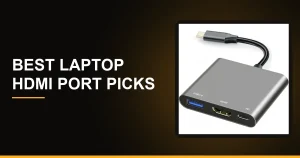 Best Laptop HDMI Port Picks: Hubs, Adapters and a MonitorFive products compared for adding an HDMI port to a laptop: three USB-C hubs,…Read next →
 Best Glorious Gaming Mouse Picks: Five Model O OptionsCompare five Glorious gaming mouse models by stated weight, sensor, click rating and connection,…Read next →



Write Your Review
No reviews yet. Be the first to share your experience!