
If you want the lowest stated weight in this group, pick one of the 55 g Model O Eternal versions; if you want a cable-free mouse, pick the Model O Classic Wireless for its stated 72-hour battery figure or the Model O 2 Wireless for its hybrid connection and 26,000 DPI sensor. Every product here is a GLORIOUS Model O variant, so all five match the keyword’s brand and type, and the real choice is weight, sensor ceiling, click rating and connection.
The two Eternal versions are the same mouse in Matte Black and Matte White, so color is their only difference. The Model O Minus is the wired outlier: the only one whose listing states a cable, a Small size and dimensions aimed at medium and small hands.
As an Amazon Associate, we earn from qualifying purchases.


Pick by Your Need
- Best overall: Model O 2 Wireless. It pairs the highest stated sensor ceiling here, 26,000 DPI, with hybrid 2.4GHz and Bluetooth connection at 68 g.
- Lightest stated weight: Model O Eternal (Black). Its listing states 55 g, the lowest of the five, with a 12,000 DPI sensor.
- Best stated battery figure: Model O Classic Wireless. It is the only listing that states a battery figure, up to 72 hours, plus the highest click rating here.
- Best for small hands: Model O Minus. The listing states a Small size, a 4.72-inch length and a wired paracord.
- Best white ultralight: Model O Eternal (White). It carries the same stated 55 g weight and 12,000 DPI sensor, in Matte White.
Quick Answer
The Model O 2 Wireless is the step-up pick, with the highest stated DPI, hybrid wireless and an 80-million-click rating at 68 g. The Model O Eternal pair suits players who want the lightest stated weight, 55 g. The Model O Minus suits smaller hands and anyone who prefers a stated wired connection with 1,000 Hz polling.
Comparison Table
| Product | Best for | Key stated figure | Trade-off | Buy |
|---|---|---|---|---|
| Model O Eternal (Black) | Lowest stated weight | 55 g; 12,000 DPI sensor | Lowest stated DPI of the five; connection not stated | View on Amazon |
| Model O Eternal (White) | Lowest weight in white | 55 g; 12,000 DPI sensor | Same specification as the black version; finish is the only difference | View on Amazon |
| Model O Classic Wireless | Wireless with a stated battery figure | 69 g; up to 72 hours stated; 100M clicks | Heaviest of the five; no Bluetooth stated | View on Amazon |
| Model O 2 Wireless | Highest stated sensor ceiling | 68 g; 26,000 DPI; 650 IPS tracking | No battery figure stated; click rating below the Classic’s 100M | View on Amazon |
| Model O Minus | Small hands, wired | 58 g; 4.72 in long; 1,000 Hz polling | Wired only; no DPI figure stated | View on Amazon |
Decision Guide
If you need the lightest mouse in this group, choose either Model O Eternal version: both listings state 55 g, 3 g below the Model O Minus, 13 g below the Model O 2 Wireless and 14 g below the Classic Wireless. If you need a wireless mouse with a stated battery figure, choose the Model O Classic Wireless, the only listing that states one, at up to 72 hours. If you need Bluetooth as well as 2.4GHz, choose the Model O 2 Wireless, the only listing that states both modes.
If you need the highest stated tracking ceiling, the Model O 2 Wireless states up to 26,000 DPI with 650 IPS tracking and 50G acceleration, against 19,000 DPI for the Classic Wireless and 12,000 DPI for the Eternal pair. If you need a mouse sized for smaller hands, choose the Model O Minus: its listing states a Small size and a 4.72-inch length, 0.24 inches shorter than the Model O 2 Wireless. If you need the longest stated click rating, the Classic Wireless states 100 million clicks, above the 80-million ratings of the other wireless and Eternal models.
1. Model O Eternal (Black) — Best lightest stated weight
At a stated 55 g, this is the lightest mouse of the five, and its listing attributes that weight to a honeycomb shell. The sensor ceiling is the trade-off: the listing states a 12,000 DPI optical sensor, below the 19,000 DPI of the Classic Wireless and the 26,000 DPI of the Model O 2 Wireless. Its switches are mechanical, rated at 80 million clicks, and dual-zone RGB lighting covers the flared side panels, adjustable through button shortcuts or the Glorious CORE software.
| Spec | From the listing |
|---|---|
| Weight | 55 g |
| Sensor | 12,000 DPI optical sensor |
| Switches | Mechanical, rated for 80 million clicks |
| Lighting | Dual-zone RGB |
| Color | Matte Black |
| Connection | The listing does not state it |
2. Model O Eternal (White) — Best lightest stated weight in white
This version states the same figures as the Matte Black Eternal: 55 g, a 12,000 DPI optical sensor, mechanical switches rated at 80 million clicks and dual-zone RGB lighting. Compared with the other white mouse here, the Model O 2 Wireless, it is 13 g lighter but gives up the hybrid wireless connection and the higher sensor ceiling. Choose it when the 55 g figure and the Matte White finish matter more than connection options.
| Spec | From the listing |
|---|---|
| Weight | 55 g |
| Sensor | 12,000 DPI optical sensor |
| Switches | Mechanical, rated for 80 million clicks |
| Lighting | Dual-zone RGB |
| Color | Matte White |
| Connection | The listing does not state it |
3. Model O Classic Wireless (Black) — Best stated battery figure
This is the heaviest mouse here at a stated 69 g, and in exchange it is the only listing that states a battery figure: up to 72 hours of play between charges over 2.4GHz wireless. Its mechanical switches carry the highest stated rating of the five, 100 million clicks, which the listing states is 5 times the rating of the original Model O. The sensor states 19,000 DPI, between the Eternal pair and the Model O 2 Wireless.
Skip it if you need Bluetooth pairing: this listing states 2.4GHz wireless only, and the Model O 2 Wireless states both modes.
| Spec | From the listing |
|---|---|
| Weight | 69 g |
| Connection | 2.4GHz wireless |
| Sensor | 19,000 DPI |
| Switches | Mechanical, rated for 100 million clicks |
| Battery | Up to 72 hours stated |
| Color | Black |
4. Model O 2 Wireless (White) — Best overall
The Model O 2 Wireless states the strongest sensor figures here: a BAMF 2.0 sensor with up to 26,000 DPI, 650 IPS tracking, 50G acceleration and Motion Sync. At a stated 68 g it is 1 g lighter than the Classic Wireless, and it is the only listing that states hybrid connection, 2.4GHz wireless plus Bluetooth. Its split-button design uses Glorious switches rated at 80 million clicks, below the Classic’s 100 million. The listing states dimensions of 4.96 by 2.6 by 0.1 inches and a weight of 0.15 pounds, but no battery figure.
| Spec | From the listing |
|---|---|
| Weight | 68 g (0.15 pounds as stated) |
| Connection | Hybrid 2.4GHz wireless and Bluetooth |
| Sensor | BAMF 2.0, up to 26,000 DPI, 650 IPS, 50G acceleration |
| Switches | Glorious switches rated for 80 million clicks |
| Dimensions | 4.96 x 2.6 x 0.1 inches as stated |
| Color | Matte White |
5. Model O Minus (Matte Black) — Best for small hands
The Model O Minus is the wired entry here, with an Ascended paracord cable and pure Virgin PTFE skates, both stated in the listing. It states a Small size for medium and small hands, dimensions of 4.72 inches long and 2.48 inches wide, and a weight of 58 g, also stated as 0.13 pounds. The listing states 1,000 Hz polling, a lift-off distance of less than 0.7 mm, zero mouse acceleration and six programmable buttons with macro support. It states no DPI figure, so players who shop by sensor ceiling have nothing to compare here.
Skip it if you need a wireless mouse: two of the other four listings state wireless connections, and this one states a cable.
| Spec | From the listing |
|---|---|
| Weight | 58 g (0.13 pounds as stated) |
| Connection | Wired, Ascended paracord cable |
| Buttons | 6 programmable buttons |
| Polling rate | 1,000 Hz |
| Dimensions | 4.72 x 2.48 x 0.1 inches as stated |
| Color | Matte Black |
Shopping Checklist
Check the product page for current details before ordering.
- Decide on connection first: wired, 2.4GHz wireless, or hybrid with Bluetooth, and confirm the listing states the mode you need.
- Compare stated weights side by side; the five here run from 55 g to 69 g.
- Check stated dimensions where a listing gives them, especially if your hands are small.
- Note which figures a listing does not state, such as a battery figure or DPI rating, before treating two models as equal.
- Check the return window on the product page in case the shape does not suit your grip.
FAQ
Which of these Glorious mice is the lightest?
The two Model O Eternal versions are the lightest, at a stated 55 g each, in Matte Black and Matte White. The Model O Minus follows at 58 g, then the Model O 2 Wireless at 68 g and the Classic Wireless at 69 g.
Which models work wirelessly?
The Model O Classic Wireless states 2.4GHz wireless, and the Model O 2 Wireless states hybrid 2.4GHz wireless and Bluetooth. The Model O Minus states a wired paracord cable, and the two Eternal listings do not state a connection type.
Which mouse suits smaller hands?
The Model O Minus is the one sized for smaller hands: its listing states a Small size for medium and small hands and a 4.72-inch length. The Model O 2 Wireless is the only other model with stated dimensions, at 4.96 inches long; the other three listings state no dimensions.
Final Verdict
All five are GLORIOUS Model O gaming mice, so the decision rests on stated figures rather than brand or type. The Model O 2 Wireless leads on sensor ceiling and connection choice, the Classic Wireless on stated battery life and click rating, and the Eternal pair on weight at 55 g. The Model O Minus is the pick for smaller hands and for a stated wired setup with 1,000 Hz polling.
Prime covers fast, free delivery on eligible items. See whether a Prime free trial is available for your account.
Check Prime on Amazon →Types of Computer Mice
Computer mice are grouped mainly by connection type and by grip/sensor design.
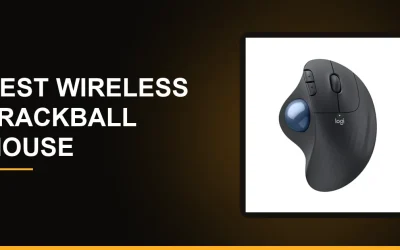
Wired mice avoid any input lag or battery concerns at the cost of a cable. Wireless mice (2.4GHz dongle or Bluetooth) remove the cable but rely on battery or rechargeable power. Gaming mice prioritize sensor precision (DPI range) and programmable buttons. Ergonomic mice use a vertical or angled grip shape aimed at reducing wrist strain. Trackball mice keep the mouse body still and move the cursor by rolling an exposed ball with a finger or thumb instead of moving the whole mouse.
Higher DPI isn't automatically better — it controls cursor sensitivity, not accuracy, and many users find a moderate DPI paired with the right in-software sensitivity setting more comfortable than maxing out the sensor's rated range.
Frequently Asked Questions
What does DPI mean on a gaming mouse?
DPI (dots per inch) controls cursor sensitivity — how far the cursor moves per inch of physical mouse movement — not the sensor's accuracy or build quality.
What's the difference between a trackball mouse and a standard mouse?
A trackball mouse stays stationary and moves the cursor by rolling an exposed ball with a finger or thumb, instead of moving the whole mouse body across a surface.
Does mouse weight matter for gaming vs everyday use?
Lighter mice are often preferred for fast, precise gaming movements, while weight preference for everyday use comes down more to personal comfort than performance.
Related Guides
No related guides were supplied for this article, so this section contains no links.
Product and ASIN Reference
| Product | ASIN | Buy |
|---|---|---|
| GLORIOUS Model O Eternal Gaming Mouse (Black) | B0F9B79WBR | View on Amazon |
| GLORIOUS Model O Eternal Gaming Mouse (White) | B0F9B8L5X6 | View on Amazon |
| GLORIOUS Model O Classic Wireless Gaming Mouse (Black) | B0GQ9CDY9J | View on Amazon |
| GLORIOUS Model O 2 Wireless Gaming Mouse (White) | B0BLFMS36J | View on Amazon |
| GLORIOUS Model O Minus Gaming Mouse (Matte Black) | B07VMM5LKH | View on Amazon |







Write Your Review
No reviews yet. Be the first to share your experience!